Fire, smoke, light and energy. There are many forms that we can explore when diving into the world of particles. Simulating reality inside a computer can be extremely complicated and difficult to pull off. But adding certain elements, for example “dust”, in our animations and designs adds a sense of organic realism, or even suspension of time. But going too far can take away from the effect we were hoping to achieve. Alternatively, we can use these effects to add a surreal or unnatural element if it suits or creative vision. We are going to look at some ways that After Effects helps us easily add particles to our scenes, and then we will see what we can do with them.
SESSION INSIGHT
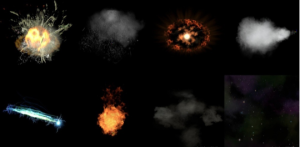 What are we talking about when we are talking about particle systems? Basically, different ways that particles (or instances of objects) can be generated. We will be focusing on their use in motion design and graphics but particle systems have been in use since the 1980’s in countless video games, digital art, installations, etc. They are mainly used to replicate natural phenomena like fire, smoke, dust, bubbles, clouds, stars, and so on. And they are used heavily in VFX for creating explosions, debris, fire and liquid simulations, etc.
Before we start playing, let’s define what a particle is. Basically a particle is a point in 2D or 3D space that can be represented by an image of some kind; that can be a single dot of color, a shape, or even textures. These particles are defined by properties such as lifetime, size, color, etc.
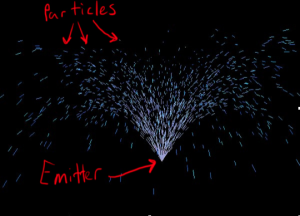 And a particle system is an invisible object that creates/spawns particles. It stores properties on how it should create the particles. For example, how many to create, how big the particles are, what texture they will display, how fast will they move, etc.
It is also important to understand some of the terminology when dealing with particles. For example, the rate at which particles are created, or “born”, is sometimes called Birth rate or Emission rate. They also have a lifespan (how long the particles exist), an emitter (the point or area where particles are born), and velocity (how fast they move). More advanced parameters may include things like gravity, wind, air resistance, and more.
To get more of an idea of the basic parameters of particles, please watch this short video. And remember the terminology is slightly different with each particle system.
There is also a 3rd party particle system for After Effects called Trapcode Particular that is a standard particle system in the industry. It’s extremely powerful and a lot of fun but it’s a bit pricey. It has a ton of parameters so it’s got a bit of a learning curve but if you’re at all interested or would like to know more about it, visit their website >>here<<.
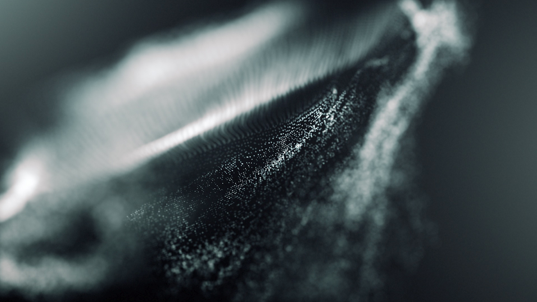
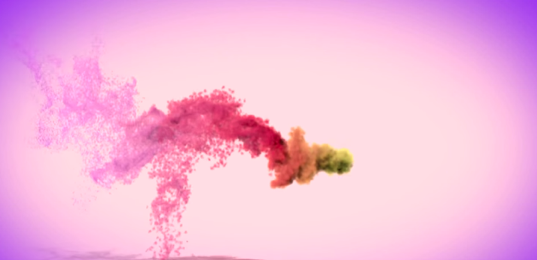
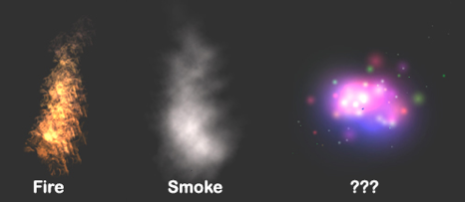
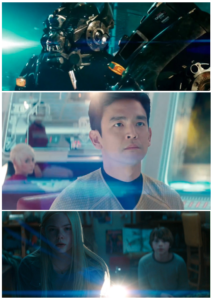 You can have a lot of fun with particle systems but understanding when to use restraint is extremely important. Adding tons of fire and smoke to a scene might sound like fun but it can start to look unnatural or even cheesy if it’s heavy handed.
It’s human nature to want to use something new we discover. That’s why whenever a new piece of technology comes around, we overuse it a lot until we learn a good balance. An example is the use of lens flares in movies.
They became popular a few years ago with blockbusters like Transformers and Star Trek and they were a bit overused in the film Super 8 with some scenes so flared out that they were hard to watch. But now that the trend has had some time to mature, I think they’re used in a much more subtle and realistic way. Although art is subjective and if you want to use a ton of particles or lens flares in your next project and you think it looks good, then that is up to you. And try to keep in mind that you don’t always have to follow the latest trends in design to be a good artist, originality is more important than copying the latest fad. I’m not saying that lens flares are bad or you shouldn’t use them, just try not to go overboard with any effect you might want to use.
If you’re trying to achieve realism in your work, the best place to start looking is the real world. The reason we can tell if an image is real or fake is the imperfections. If you want your image to look like it was shot with a real camera you might want to add some subtle effects such as film grain, subtle lens flares, etc.
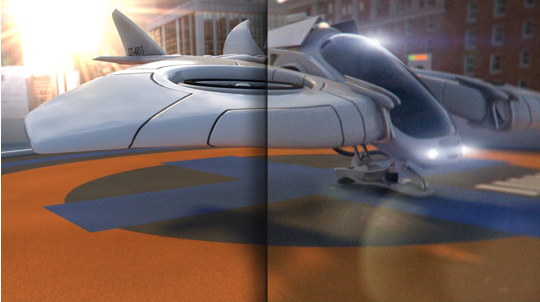
I can’t express enough how important it is to look at real life references and examples of an effect you want to achieve. Professionals almost always start with a ton of reference material before they start making an effect and so should you.
 Say we’re creating an animation that involved campfires. Usually when we think of fire, we think of black smoke at the same time so you might start making billowing clouds of smoke for your campfire right away but if you google “campfires” or better yet, actually go camping, you can start deconstructing how a fire actually looks. They don’t usually have a lot of smoke around them (depending on what’s burning) and the smoke sometimes has a bluish gray look, and at night you probably can’t see very much smoke at all. And don’t forget the bits of ember that go flying once in a while.
So you can use these ideas as reference to build a particle effect that matches a real campfire.
It can be hard to observe things we look at everyday but soon you’ll start noticing things you’ve never noticed before and you just might get some inspiration for your next project.

Now let’s take a look at a professional project that uses a lot of particles. This piece is a promo for the film “The Martian” and was produced to look like a mini-episode of StarTalk from the year 2035, hosted by Neil DeGrasse Tyson. The video gives viewers a complete overview of how an Ares mission works.
Now after watching it, you should see just how pivotal the use of particles was. From the very first shots featuring Neil, we see nebulas in the background that look like they’re made of particles and you can notice there are subtle particles moving around him the whole time too.
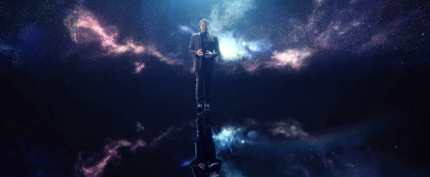 Particles are used in a lot of the scenes not only to create the stars and nebulas but they also make up 3D forms of the Astronauts.
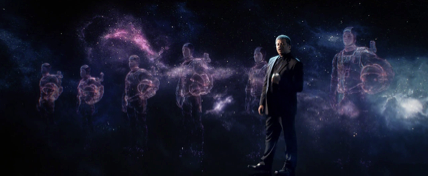 While the default particle systems in After Effects can’t create 3D forms, it’s important to understand that most particle systems are based in a 3D space even though they might appear 2D.
Some of the shots in this piece use 3D models in conjunction with particles such as this shot.
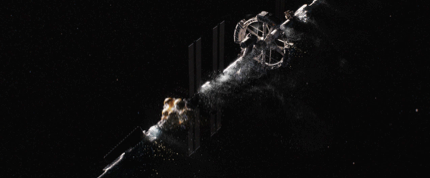 Or this one.
 The particles in that image are subtle but they add so much to the realism of the 3D model. They make us feel like we are really close to the DNA strand at a microscopic level.
Another element that adds to the realism of the whole project is the subtle use of lens flares. In the image above, there is a flare in the top left corner of the shot. It isn’t too large and doesn’t distract from what we are supposed to be seeing; they even added some grunge and dirt around it to make it look like it was shot with a dirty camera lens.
There a few shots that feature flares but none of them are overly used, they are just subtle enough to add realism. Feel free to watch it again and see if you can spot all the little effects that add to the success of the piece: particles, lens flares, motion blur, grain and texture, etc.
Let’s watch a short piece about Wacoms’s Robert Hranitzky and his work in this area:
Introduction to Particles in AE:
More Particles in AE:

In order to follow along with this session’s materials, use the link below to get the necessary files.