SESSION INSIGHT
Film has had a long and varied history dating back to the 1800’s with the first photography cameras. There are a lot of early pioneers when it comes to the evolution of film and there’s not really one film that came first. Watch this short video to get an idea of the history of the first moving pictures.
If you’d like to learn more about filmmaking, check out another online Media Arts course, MART 112: Intro to Non Linear Editing for a comprehensive introduction to video editing. So now that we know who the early pioneers were that created the first motion pictures, let’s talk about what a motion picture really is. Simply put, it’s a series of images played in a sequence one after the other until our eyes perceive a single moving image. This effect was coined as the “persistence of vision” or how our brains blur images together to see motion. To see this effect in action, hold your hand in front of your face and start moving it back and forth, notice how you can easily see your hand at different points in space. Now move it back and forth extremely quickly; you should see your hand get very blurry. Your brain can’t make out the complete “picture” of your hand anymore and instead “blurs” it all together.
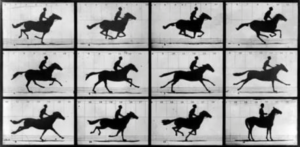 Eadweard Muybridge, a famous landscape photographer, was integral in creating the first moving pictures after he was commissioned by Leland Stanford to settle a bet about horse racing. This video shows how his work was used to create the first moving pictures which led to the first movies.
Once this phenomenon was observed, other pioneers like Thomas Edison and W. K. L. Dickson invented machines like the kinetoscope to observe these “moving pictures”. Other inventions like the zoetrope were also invented that are still used today in innovative ways.
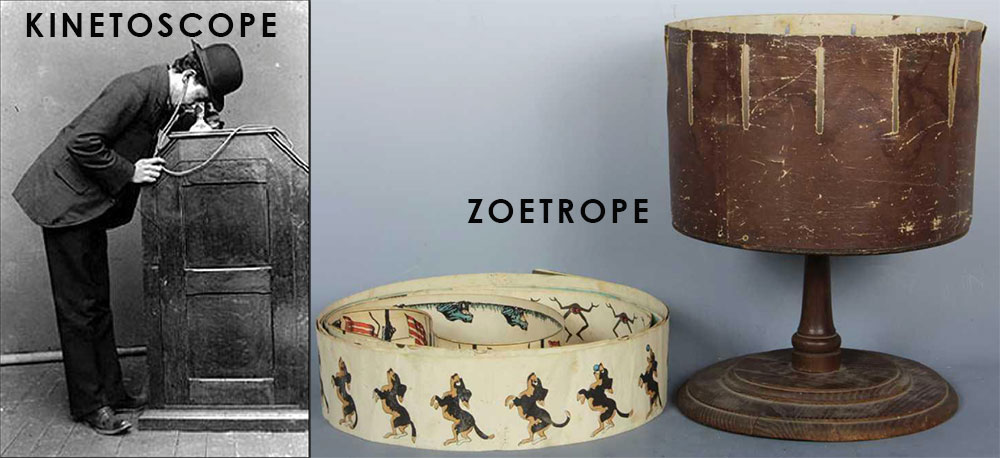
Pixar has an amazing 3D zoetrope on display and they do a great job of explaining how it works.
In order to understand the concept of Persistence of Vision more clearly, please watch this video.
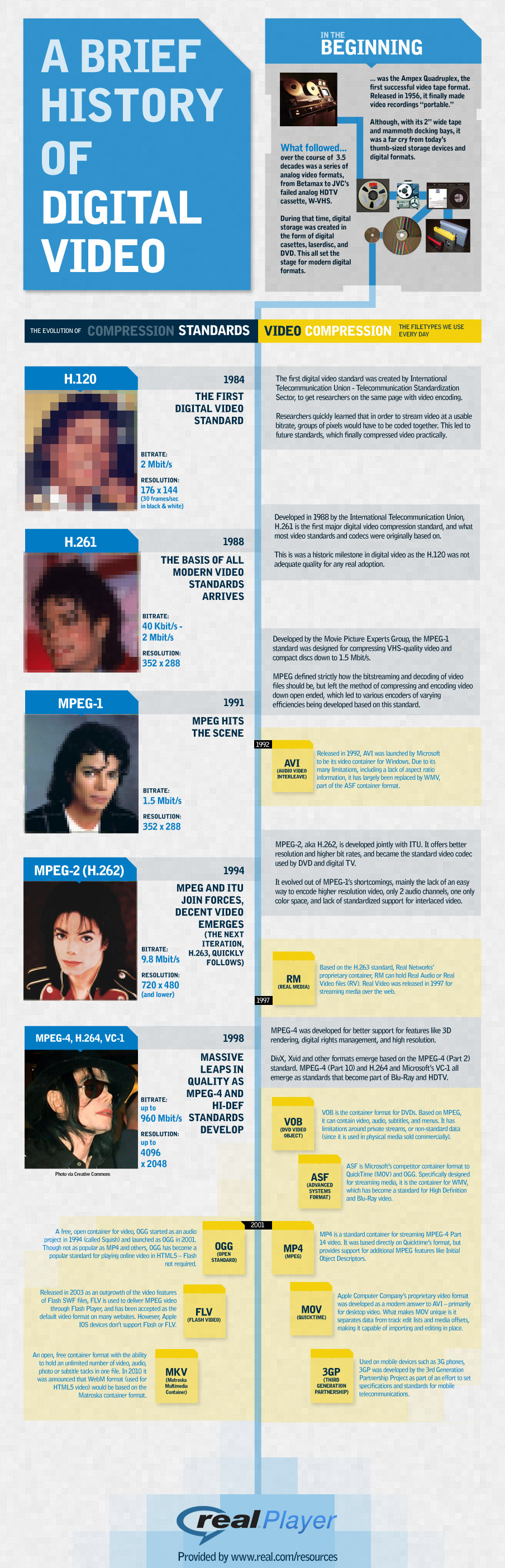
What is a film? When we talk about film, we usually mean a movie or video. Film itself is just one method of creating a video. Understanding what film itself is and how it evolved is necessary for all creative artists to know. This will give you a short introduction to what film is and how this hundred-year-old technology is used. The infographic below from Real Networks (itself a pioneer in the era of digital video) shows the evolution of digital video from the early 1980s to modern day. Moving pictures have come a long way since Edison and Black Maria.
And for a more detailed explanation, read through this article all about the evolution of film and digital media. It refers to photography instead of video but the theory is the same. http://photography.tutsplus.com/articles/a-history-of-photography-part-3-going-digital–photo-4003/
And the Wikipedia page on Digital Video has a ton of useful information on the properties of digital video.
Techquickie does a really nice job of helping us understand analog vs. digital is this short little film. Please watch.
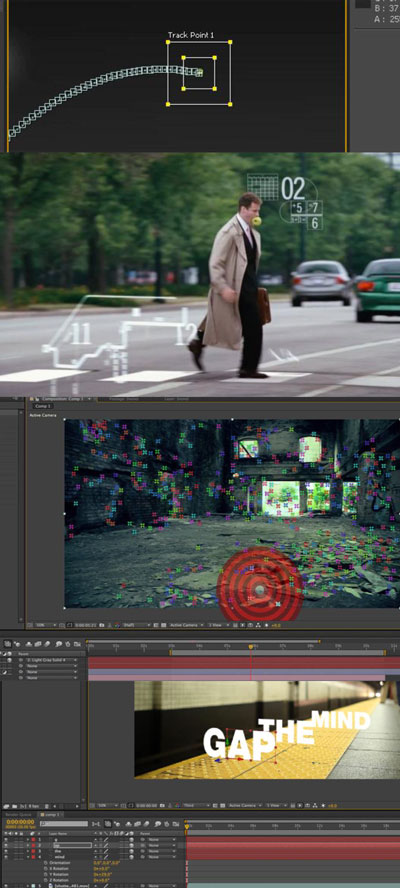 Live action video is used a lot throughout the world of motion design. While there are many ways we can manipulate footage itself, one of the most common is called motion tracking.
When you import a file in After Effects, your computer has no idea what is going on in the clip. It has no concept of motion or direction until you define those things. What motion tracking does is follow a point (or points) that you define with the tracking tool and tracks the pixels in the video to give you position, rotation, or scale information which can then be applied to other graphic elements.
Motion tracking has many uses, for example, you can combine different elements into a shot such as a digital advertisement to the side of a bus, a particle emitter to the end of a magic wand, adding effects to certain areas of footage, stabilizing shaky footage, etc.
Programs like After Effects, have built in tools for motion tracking but there are some dedicated applications such as Mocha by Imagineer Systems that handle tracking in different ways and give different tools to the artist.
Motion tracking can be used and applied in two different ways: 2D tracking and 3D tracking. The 2D method works by just tracking the X and Y position of a point or points to generate either position, rotation, and/or scale information. This is the easiest one to understand and is very useful for sticking graphic elements to moving objects.
The other method, 3D tracking (sometimes called camera solving) and this complex method, uses many tracking points to track many parts of a moving video clip. Once it is tracked, the application can use all of that information to create a virtual 3D camera based on the actual position and movement of the real camera. This allows you to place layers and elements in a 3D environment and look as if they are sitting in the footage.
For more detail on motion tracking and some other things you can do with it, please check out this article.
Andrew Kramer is pretty much the master of all things After Effects, especially when it comes to special effects and motion tracking. Please watch this short video on tracking.
As artists, we hear a lot of different terms thrown around. Two of those terms are color correction and color grading. They sound similar and honestly it’s very easy to get them confused or think they mean the same thing. However, they are quite different. For a quick explanation, please watch:
As motion designers, we are often asked to make a video look great. It can be part of a larger motion design project or just a short clip but we have to make it look a certain way to fit our vision. Video footage can be usually either given to us by a boss or client, found/bought online, or we have to shoot it ourselves. And even if you don’t have access to a high quality video camera, the ones attached to our phones are becoming better every day. There’s even an ad campaign by Apple called “Shot on iPhone 6” with some truly stunning images. If you’d like to try working with video shot on your camera phone, here is a nice tips and tricks video on getting better quality.
Now before we start applying color effects to our footage, we should first understand what color is. Color theory is a very deep topic that could span years (which is why there are professional colorists in the world) but we are going to look at some tricks that we can take advantage of to make our use of color much more appealing. That being said, please watch the video below for tons of useful information on color.
And if you’d like to learn more about color theory, check out some of the other Media Arts classes we have to offer.
Tracking tutorials:
Color correction tutorial:
Advanced color correction and grading:
Use the link below to work with the files used in this session’s tutorials.
