SESSION INSIGHT
One thing we always try to stress to our students is the importance of staying organized. It’s probably one of the most critical habits to form early that will save a digital artist endless amounts of time, money and stress. And embarrassment – we can tell you from first hand experience how sad it is to sit with a student trying to help them trouble shoot, and watch them fumble all over trying to find the photo that they were working with, or sound file or even locate their project that is buried somewhere in the wild jungle that is their computer.
 These days of immediacy and impatience makes us sloppy, and that is something you can correct with a little discipline. When you start a project, make sure that it has its own folder in a place that you can remember. If you acquire a file that you want to use for that project, put it in another folder within the project’s main folder, etc. It’s not rocket science, so anyone should be able to wrap their head around these simple approaches to organization.
Check out this article by Aaron Couch about a few ways to keep your digital workspace tidy and more efficient. (Click here if the article does not show below.)
If you are in this class, it likely means that you spend ample time in front of the computer. This usually means that you are a target for all the great things that come with the lifestyle: strained neck, carpal tunnel, lower back pain, wider mid-section than you’re proud of, etc. Does any of this sound familiar? It might.
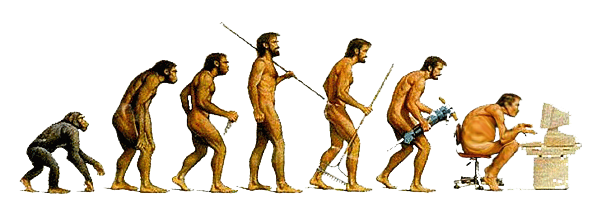 So what kind of changes to your plugged-in routine can you bring to your daily life? Let’s look at a few things that could really help you alleviate some of these concerns.
Health Tips: 5 Ways to Avoid Letting Your Computer Kill You:
PLEASE READ
Please watch this short animated film about how stress really does harm us.
 What could this topic called “Intimidation” mean in a course in motion design? It pretty much applies to most sectors of digital artistry – what we mean here is to NOT get intimidated. The programs we use for our design and creation have grown to be very big monsters – multiple menus, hundreds of sub menus, windows and palettes all over the place, timelines, pockets full of tools… How do they expect us to feel comfortable looking at all these things, right? Wrong.
Desktop publishing, digital image editing, creating a website, publishing an e-book and animating: no matter how intimidating it looks, it was developed by human beings from primitive beginnings, and every other human being who acts like an expert now was once a raw beginner probably more clumsy than you feel. The only difference between you and them was that they’ve gone through the process of learning: making mistakes, correcting them, and moving on.
The best advice we can give you is that you must always remember that it is YOU that is operating the computer, YOU are making the decisions and that YOU have the creative heart. What we are really getting at here is that you must take control and ownership of these applications and devices and make them work for us, not the other way around.
They are here and we are using them because we need to share our stories and communicate our ideas – so don’t let them stop you from doing so.
We would like you to start off with some tutorials we have put together just to introduce you to After Effects and get you comfortable with good, solid and basic practices. If you have worked with this software before, don’t feel like you can just skip all of this, as part of our mission here is to make sure that you establish good habits, as well as truly understand the fundamentals of how this all works.
…Even though it may be a little slow at the beginning – HANG IN THERE!
USE THE BOX TO THE RIGHT TO DOWNLOAD THE FILES FOR THIS SESSION! —>
Managing Preferences:
After Effects Interface:
Compositions
Layers Part 1
Layers Part 2
Layers Part 3
Blend Modes
This is where you will access files for the tutorials and exercises needed to move forward with this session’s materials and instructions.
